2026Spotify Concept Project
Focus Mode in Spotify | Helping students who listen to music while working focus better
This project aims to enhance spotify to help students stay focused by integrating music and focus tools into one seamless experience, as students often experience fragmented study sessions as they switch between multple applications
- Type
- Concept Project
- Platform
- Spotify Mobile App
- Scope
- Research, flows, UI
THE CONTEXT
Spotify already sits at the centre of many students’ study routines, yet its product is built around entertainment. Studying surfaces as one playlist category among party, workout and podcasts, and newer features like Jam and Blend focus on listening together rather than working quietly. The opportunity is contextual: Spotify has the audio but no awareness of the study session itself.
PROBLEMS
- Setup
- Choosing music, finding notes and closing tabs make the first ten minutes the hardest part.
- Lyrics
- Almost all users were distracted by lyrics
- Timer
- Users prefer tools which can help them keep a track of time
EXPERIENCE GAP
Spotify already sits at the centre of many students’ study routines, yet its product is built around entertainment. Studying surfaces as one playlist category among party, workout and podcasts, and newer features like Jam and Blend focus on listening together rather than working quietly. The opportunity is contextual: Spotify has the audio but no awareness of the study session itself.
JTBD Framework
- Situation
- When I sit down to study with music/audio
- Job
- I want to stay focused without managing music, timer and tracking separately,
- Outcome
- So that I can be productive
CONSTRAINTS
Focus Mode had to feel like part of spotify, not a new app on top of it.
- Entry point
- Finding an entry point that is discoverable and consistent with Spotify’s navigation hierarchy, without over or under weighting the feature.
- Familiar UI
- Spotify’s dark surface, pill buttons and bottom sheets.
- Should feel optional
- Skippable setup and ignorable nudges, so nothing changes for anyone who doesn’t use it.
INFORMATION ARCHITECTURE

SCREEN WALKTHROUGH
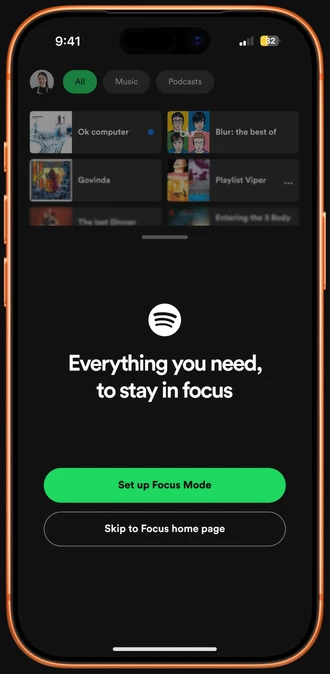
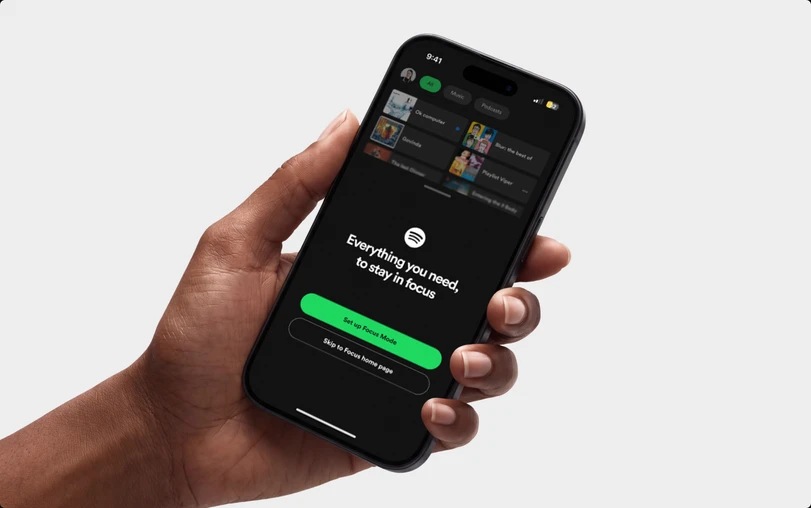
“Everything you need, to stay in focus”, gives the promise in a single line without any feature list to read
Skippable setup and ignorable nudges so nothing feels like a commitment for new users
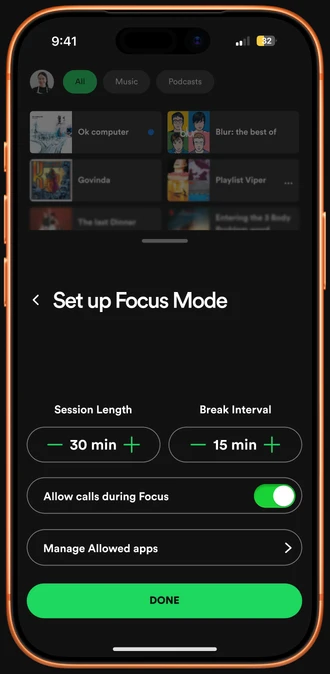
A stepper with minus plus around the value instead of input text fields for fast decision making and less setup time
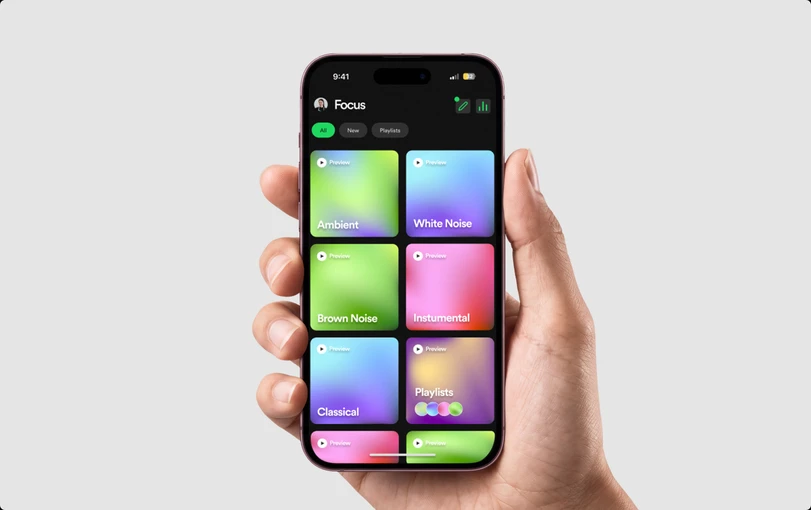
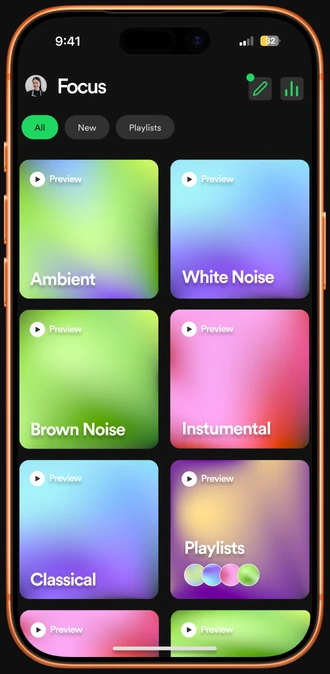
Two titles Shortcut beside the tile. The pencil edits setup and the bar-chart icon opens Weekly Insights
A two-column grid presents each sound category at a glance, with a preview option that sets clear expectations before a session begins.
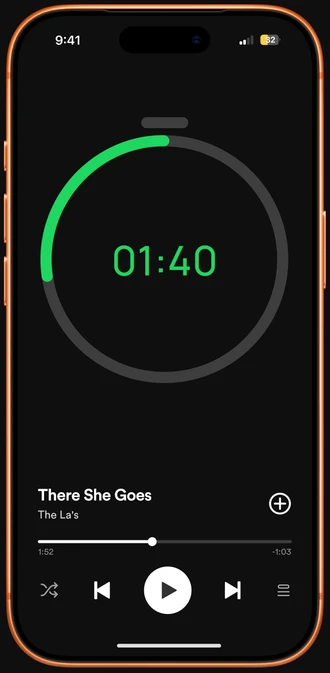
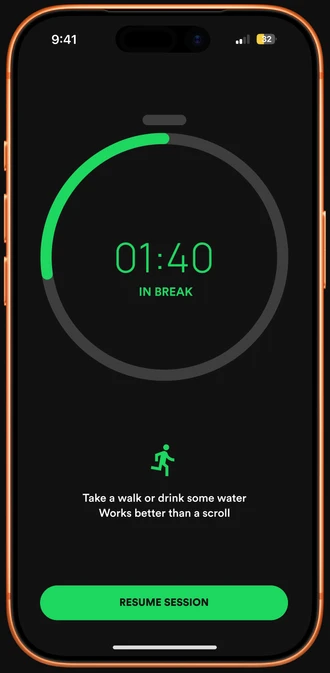
Time remaining, front and centre. The oversized ring and countdown in brand green dominate the layout, making progress readable at a glance.
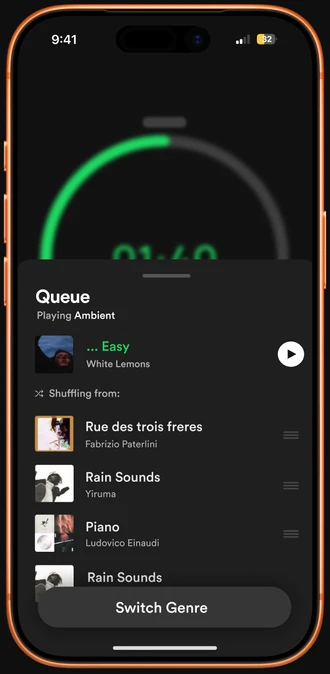
Layered over the session. The blurred timer stays behind the sheet, so the student can manage their audio mid-session without leaving the session.
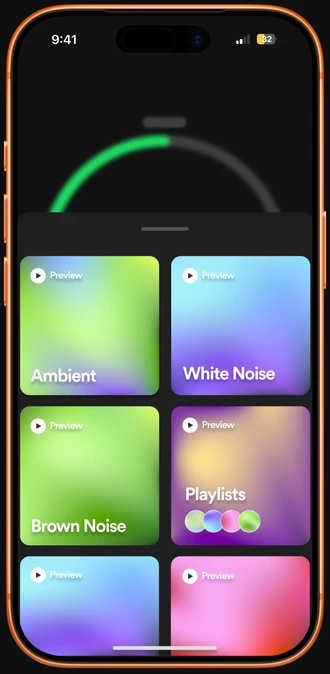
The sheet repeats the Focus home tiles, so students identify the options at a glance instead of working out how to change sound.
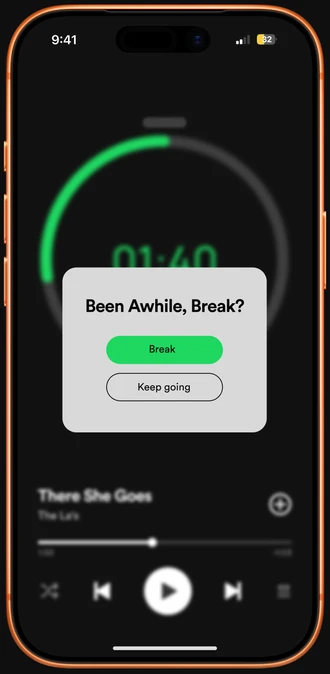
“Been Awhile, Break?” frames the break as an option the student can take or ignore, so it feels like a nudge and not an alert.
Away from the screen. A running figure and a brief prompt to walk or hydrate encourage students to step away from the phone, so the break supports recovery and not distraction.
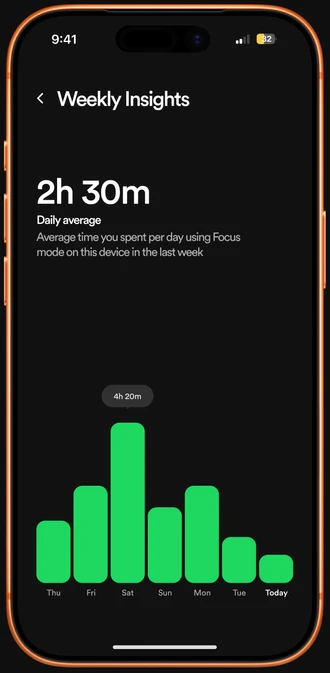
Seven bars of the last 7 days with today’s label in bold, so the week reads at a glance.
Seven bars of the last 7 days with today’s label in bold, so the week reads at a glance.
PERSONAL LEARNINGS
Reduce friction at the point of entry - Limiting setup to a few essential controls lowers the effort needed to start a session, which matters most for first-time users deciding whether the feature is worth trying.
Consistency builds recognition - Repeating components such as the sound tiles and the timer ring across screens lets users rely on what they already know, which reduces cognitive load throughout the session.
Document decisions and be transparent about assumptions - Weighing alternatives and stating which trade-offs remain unvalidated turned each design choice into a reasoned position and set a clear agenda for user testing.